Phone Setup
Does eSIM Work Without Wi-Fi? What Travelers Need to Set Up First
Does esim work without wifi? Learn what must be installed first, when cellular can activate, and how to avoid airport setup problems.
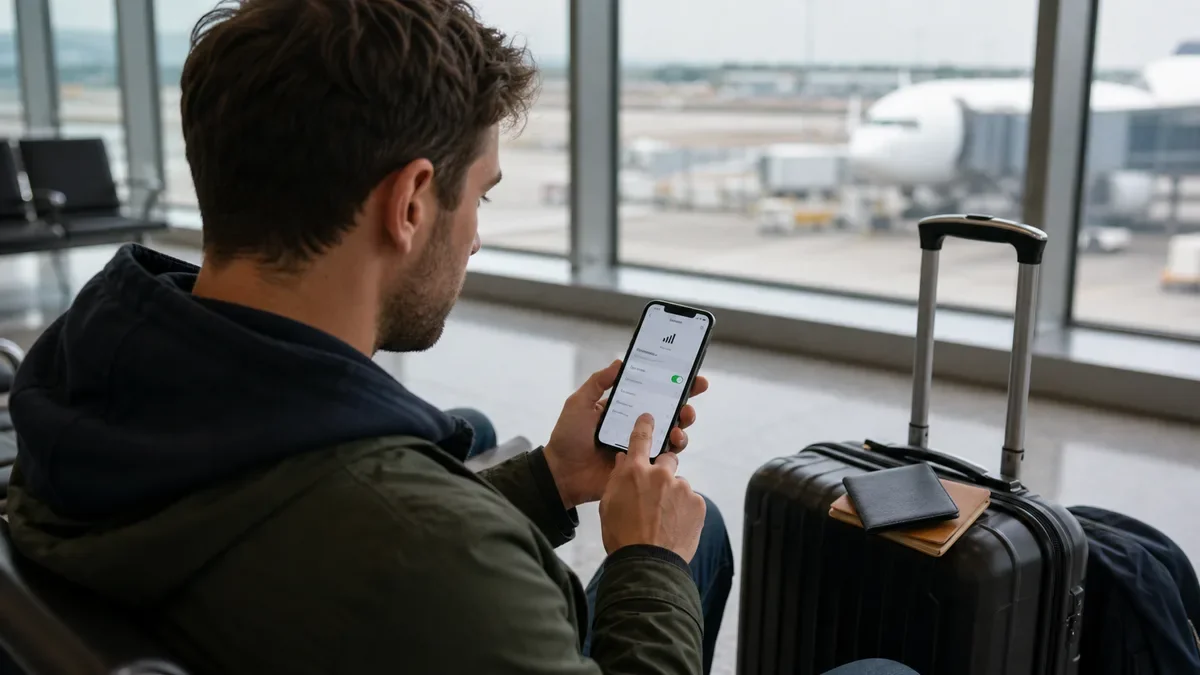
If you are asking does esim work without wifi, the real answer depends on which stage you mean. A travel eSIM usually needs internet to download or install, but once it is installed and connected to a mobile network, it can work without Wi-Fi.
That difference matters at the airport. If the eSIM profile is already on your phone, you have options. If it is still sitting in an email or app account, you may be hunting for Wi-Fi before you can even start.
| What you see | Likely cause | First move |
|---|---|---|
| The QR code will not load | The plan is not installed yet | Connect to Wi-Fi and install before leaving |
| The eSIM is installed but no data works | Wrong line, roaming, or network selection | Check cellular data and roaming settings |
| Airport Wi-Fi drops during setup | Profile download is interrupted | Wait for stable Wi-Fi before retrying |
| The phone shows two lines | Primary and travel line are both active | Label lines and choose travel data |
Understand install, activation, and use
Travelers often use "activate" for three separate steps. First, you buy the eSIM plan. Second, you install the eSIM profile on the phone. Third, you turn on the line and connect to a local network.
Wi-Fi is most important during installation. The phone has to download the eSIM profile from the provider, scan a QR code, or open an app flow. That cannot happen if the phone has no connection at all.
After the profile is installed, the travel line can use cellular data when it reaches a supported network. That is why we usually recommend you set up a travel eSIM on iPhone before you fly.
Install the eSIM before travel when possible
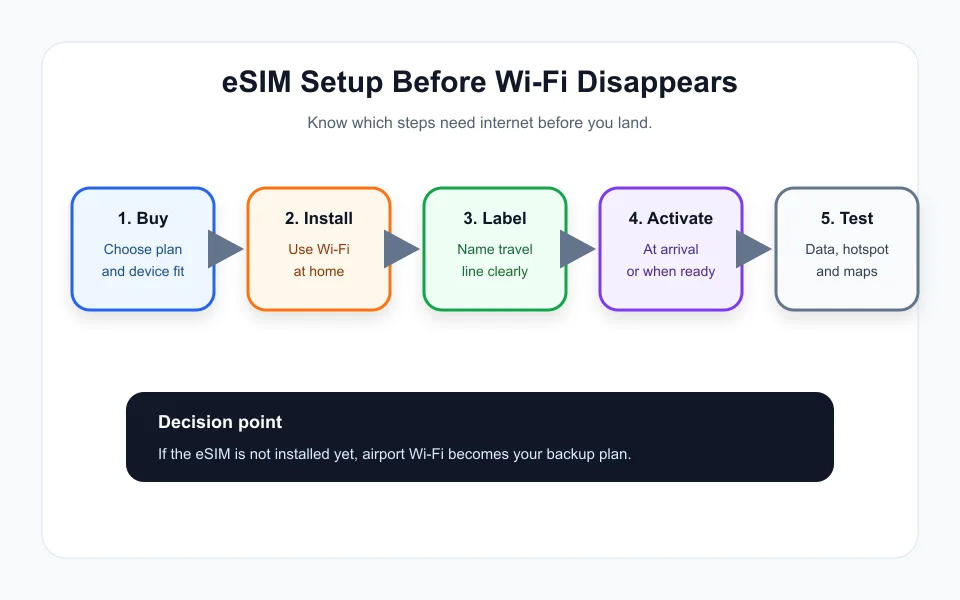
A calm home setup beats a noisy arrivals hall. Install the plan while you still have reliable Wi-Fi, access to email, payment records, and enough time to contact support if the app asks for verification.
Do not turn on the travel line too early if the provider starts validity at activation. Some plans start when installed, some start when connected to a network, and some start on a chosen date. Read the plan terms before tapping through.
If you compare providers before buying, use a practical guide such as Airalo vs Nomad vs Saily so the setup rules are part of the decision.
Use cellular data after the profile is ready
Once the eSIM is installed, choose it for mobile data in your cellular settings. Keep your home line available for calls or texts only if you need it, and turn off expensive roaming on the primary line when your carrier charges daily fees.
If the travel eSIM supports hotspot, test that too. Some low-cost travel plans block tethering or limit it. That matters if you need laptop access, maps for a group, or backup data for a second phone.
The money side is simple. A few minutes of setup can prevent a week of roaming charges, which is why eSIM vs roaming cost is worth checking before a trip.
Troubleshoot before deleting the profile
Deleting an eSIM should be a later step, not the first panic move. Some providers allow reinstall. Others treat deletion as final unless support resets the profile.
Check cellular data selection, data roaming, APN instructions, network selection, plan validity, and whether the destination is covered. Restarting the phone can help after the line is turned on.
If you are stuck on iPhone, follow the same caution in eSIM not activating on iPhone. Keep the QR code, order number, and provider app available until data works.
Keep a backup connection plan
A backup does not have to be expensive. Download offline maps, save hotel directions, keep the provider QR code in photos and email, and know whether your airport has free Wi-Fi before you land.
If the trip is business critical, consider installing the eSIM a day early if the validity rules allow it. A slightly shorter plan window is less painful than landing with no maps, no ride-hailing, and no way to contact support.
Quick Checklist
- Confirm your phone is unlocked and eSIM-compatible.
- Buy the right destination or regional plan.
- Install the eSIM profile on reliable Wi-Fi before travel.
- Check when the plan validity begins.
- Label your primary and travel lines clearly.
- Turn on travel eSIM data after arrival.
- Avoid deleting the eSIM until support confirms it is safe.
Bottom Line
An eSIM can work without Wi-Fi after it is installed and connected to cellular service. The risky part is getting the profile onto your phone in the first place, so handle that step before the trip whenever you can.
Frequently Asked Questions
does esim work without wifi after activation
Yes, once the eSIM is installed, active, and connected to a supported mobile network, it can use cellular data without Wi-Fi.
do i need wifi to install an esim
Usually yes. Downloading or installing an eSIM profile normally needs an internet connection, so it is safer to do it before travel.
can i activate esim at the airport
You can if you already installed the profile or if airport Wi-Fi is stable enough to download it. The safer plan is to install before you fly and activate at arrival.
why is my esim not working without wifi
The eSIM may not be installed, data roaming may be off, the wrong line may be selected, or the destination network may not be available yet.
should i delete an esim that is not working
Do not delete it first. Check line selection, roaming, APN instructions, provider status, and support guidance because some eSIMs cannot be reinstalled easily.
Official sources: Apple Support: Use eSIM while traveling internationally · Apple Support: About eSIM on iPhone. Check current program pages before applying.