Destination eSIMs
South Korea Travel eSIMs: Smart Picks Before You Land
Find the best esim for south korea travel with plan-fit rules, setup checks, provider tradeoffs, hotspot notes, and official sources.
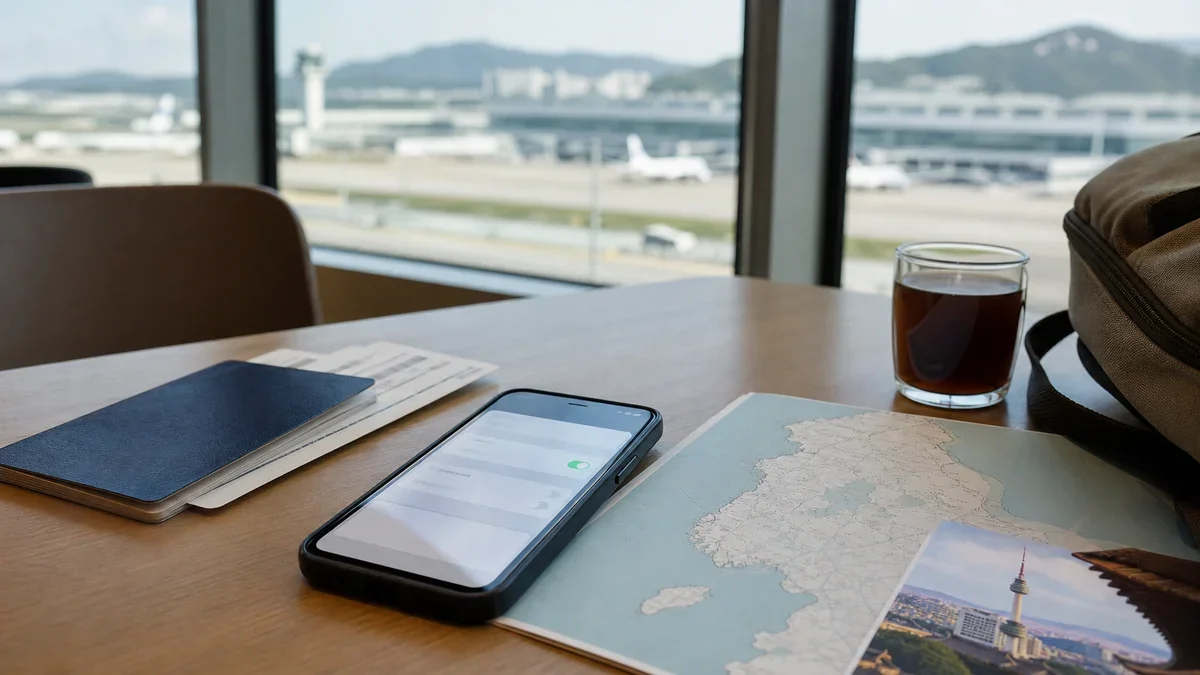
If you are comparing the best esim for south korea travel, do not start with the cheapest plan card. Start with the trip: Seoul-only weekend, Seoul plus Busan, family vacation, business visit, or a work-heavy stay where hotspot matters.
South Korea is one of the easier places to use a travel eSIM, but the wrong plan can still be annoying. Data size, activation timing, hotspot support, and whether you need a phone number matter more than a provider logo.
| What you see | Likely cause | First move |
|---|---|---|
| A tiny plan looks very cheap | It may only cover light maps and messaging | Match the data amount to trip length first |
| Unlimited data sounds safest | Speed caps or fair-use rules may apply | Read hotspot and high-speed limits before buying |
| The eSIM will not connect after landing | Data line, roaming toggle, APN, or activation timing may be wrong | Restart, check provider instructions, and avoid deleting the profile |
| No Korean phone number appears | Most travel eSIMs are data-only | Use app calling or buy a plan that clearly includes voice/SMS |
| Hotspot does not work | The plan may restrict tethering | Confirm hotspot support on the live plan page |
Fast Verdict for South Korea Travel eSIMs
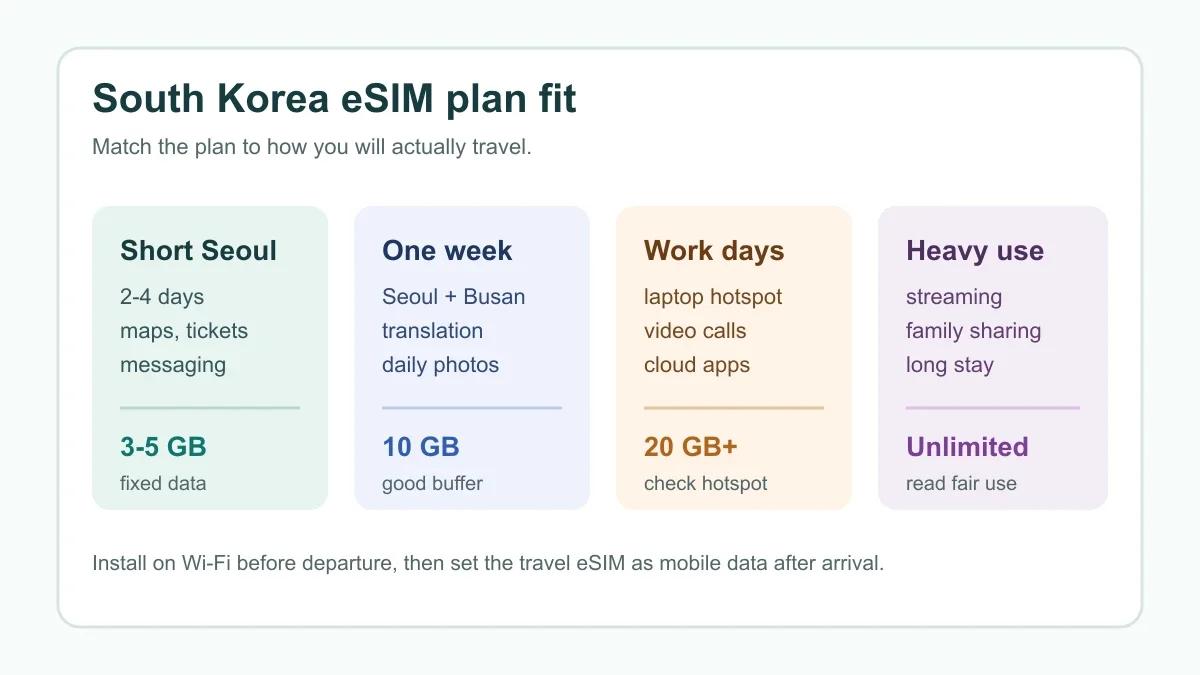
Pick a fixed-data travel eSIM if you mostly need maps, messaging, ride apps, tickets, translation, and restaurant searches. For a three- or four-day Seoul stop, 3 GB to 5 GB can work if you use hotel Wi-Fi and avoid streaming.
Choose 10 GB or more for a week that includes Seoul, Busan, Jeju, day trips, daily photo uploads, and plenty of navigation. That extra room usually costs less than the stress of rationing data on a train platform.
Look at unlimited-style plans only when you know you will use a lot of data. They can be handy for families and heavy phone users, but they are not automatically better if hotspot is restricted or speed drops after a daily allowance.
Match the Plan to Your Trip
A Seoul-only itinerary is simple. You need reliable mobile data for subway routing, Naver Map or KakaoMap, translation, QR tickets, messaging, and airport transfers. A smaller prepaid plan can be enough if your hotel and cafes have solid Wi-Fi.
Adding Busan, Jeju, Gyeongju, ski resorts, or rural day trips changes the calculation. You will spend more time navigating away from hotel Wi-Fi and more time using translation, transit, and photo backups. Buy a bigger buffer.
Working travelers should check hotspot first. A plan that feels generous on a phone can be a poor laptop backup if tethering is blocked, throttled, or hidden behind fair-use language.
Provider Shortlist: Airalo, Nomad, Holafly, Saily, and Ubigi
Airalo is often a natural first check because travelers already know the marketplace and can compare local, regional, and global plan types. It is useful when you want a familiar app flow and a conventional fixed-data plan.
Nomad is worth comparing for South Korea because its live destination page lets you check current plan sizes, validity, and checkout terms directly. It can fit travelers who want straightforward prepaid data without buying from a local carrier after arrival.
Holafly is the provider many people compare when they want unlimited-style data. That can make sense for heavy mobile use, but look closely at tethering rules and any fair-use notes before treating it as a laptop replacement.
Saily and Ubigi belong on the shortlist when you want app-first setup, alternative regional coverage, or a plan that may fit tablets and connected devices better. Compare the exact South Korea plan, not the global marketing headline.
Already comparing brands? Read our Saily or Airalo guide, Holafly vs Nomad comparison, Airalo vs Ubigi breakdown, and Airalo vs aloSIM comparison before buying.
How Much Data Makes Sense?
Buy 3 GB to 5 GB for a short Seoul trip if you mainly use maps, messaging, translation, and booking apps. That is the budget pick, but it leaves little room for video, cloud backups, or long hotspot sessions.
Choose around 10 GB for a one-week trip. It gives a practical cushion for daily navigation, subway planning, restaurant searches, social posting, and video clips without turning every megabyte into a decision.
Step up to 20 GB or unlimited-style data for remote work, family sharing, long stays, or heavy photo and video use. The deciding detail is not only the data number. It is whether the plan lets you use the data the way you need.
Setup Checks Before Departure
Confirm that your phone is unlocked and eSIM-compatible. Apple says international eSIM use generally needs an iPhone XS, iPhone XR, or later, and your device must support eSIM with the provider you choose.
Install on reliable Wi-Fi at home, then follow the provider's timing instructions. Some plans can be installed early but activate when they connect to a supported network. Others may start the clock sooner.
Label your lines clearly. Keep your home SIM available for banking texts if needed, but set mobile data to the South Korea eSIM and turn off home-carrier data roaming unless you intentionally want roaming charges.
If activation fails, do not delete the eSIM first. Restart the phone, check the data line, turn on data roaming for the travel line if the provider requires it, review APN instructions, and contact support before removing the profile.
Data-Only, Phone Numbers, and Korean Apps
Assume a travel eSIM is data-only unless the plan clearly says otherwise. That is fine for most trips because messaging, maps, ride apps, translation, and reservations can run over mobile data.
Need a reachable number? Read our guide to travel eSIMs with a phone number and the data-only eSIM or phone number decision. A data eSIM does not magically become a Korean voice line.
KakaoTalk, WhatsApp, FaceTime, iMessage, Signal, Messenger, and Skype can handle most visitor communication. For restaurant waitlists, local deliveries, or services that require Korean SMS, you may need a different setup.
When Roaming Still Makes Sense
Carrier roaming can be the easier choice for a one-day layover, a reimbursed business trip, or a traveler who wants the home number to behave normally. Convenience has value.
Prepaid eSIMs usually win when you want cost control and a clear data bucket. Compare the math in our eSIM versus international roaming cost guide, especially if your home carrier charges by the day.
Business travelers should also read our best eSIM for business travel guide because work calls, hotspot, cloud files, and backup connectivity change the purchase.
Related Destination Guides
If South Korea is part of a larger route, compare destination-specific rules before buying one big regional or global plan. Start with the cheap Japan travel eSIM guide, Southeast Asia eSIM picks, and multi-country Europe eSIM guide.
For other popular trips, keep these handy: Dubai travel eSIMs, Australia travel eSIMs, Canada travel eSIMs, Greece travel eSIMs, Portugal travel eSIMs, UK travel eSIMs, and Morocco travel eSIMs.
Phone setup problems travel with you, too. Bookmark iPhone eSIM hotspot fixes and how to move a travel eSIM to a new iPhone before changing devices close to departure.
Quick Checklist
- Confirm your phone is unlocked and supports eSIM.
- Choose 3 GB to 5 GB for short light trips, 10 GB for a typical week, and more for hotspot or heavy media use.
- Check validity, activation timing, hotspot support, top-ups, refund rules, and fair-use notes.
- Install the eSIM on reliable Wi-Fi before you leave home.
- Set the South Korea eSIM as your mobile data line after arrival.
- Keep home-carrier data roaming off unless you choose to use it.
- Contact provider support before deleting a profile that will not connect.
Bottom line: the best South Korea eSIM is the one that matches your route, phone, and data habits. For most travelers, a 10 GB prepaid plan is the practical middle. For work, family sharing, or heavy video use, the hotspot and fair-use rules matter more than the word unlimited.
Frequently Asked Questions
what is the best esim for south korea travel
For most travelers, the best South Korea eSIM is a prepaid data plan that matches trip length, hotspot needs, and setup comfort. Short city trips can use a smaller fixed-data plan, while work trips and heavy map use need a larger allowance or unlimited-style option.
should i buy a korea esim before i fly
Yes. Buy and install it on reliable Wi-Fi before departure, then follow the provider instructions on when to activate the line. That avoids trying to scan a QR code or download a profile on weak airport Wi-Fi.
do south korea esims include a phone number
Most travel eSIMs for South Korea are data-only. Use apps such as WhatsApp, FaceTime, KakaoTalk, Signal, Messenger, or Skype unless the provider clearly sells voice and SMS service.
does a south korea esim work for hotspot
Some plans support hotspot and some restrict it, especially unlimited-style offers. Check the live plan page before relying on tethering for a laptop or another traveler.
how much data do i need for korea travel
A light traveler can often manage with 3 GB to 5 GB for a short Seoul trip. Most one-week visitors should compare 10 GB or unlimited-style plans if they use maps, translation, photos, video, and ride apps daily.
Official sources: Apple Support: Use eSIM while traveling internationally · Nomad South Korea eSIM plans. Check current program pages before applying.